Edit one image. Automate the next thousand.
Chain background removal, AI edits, upscaling, crops and export presets into a reusable workflow, then run it on a whole folder of photos at once.
Free to set up · 78 ready-made templates
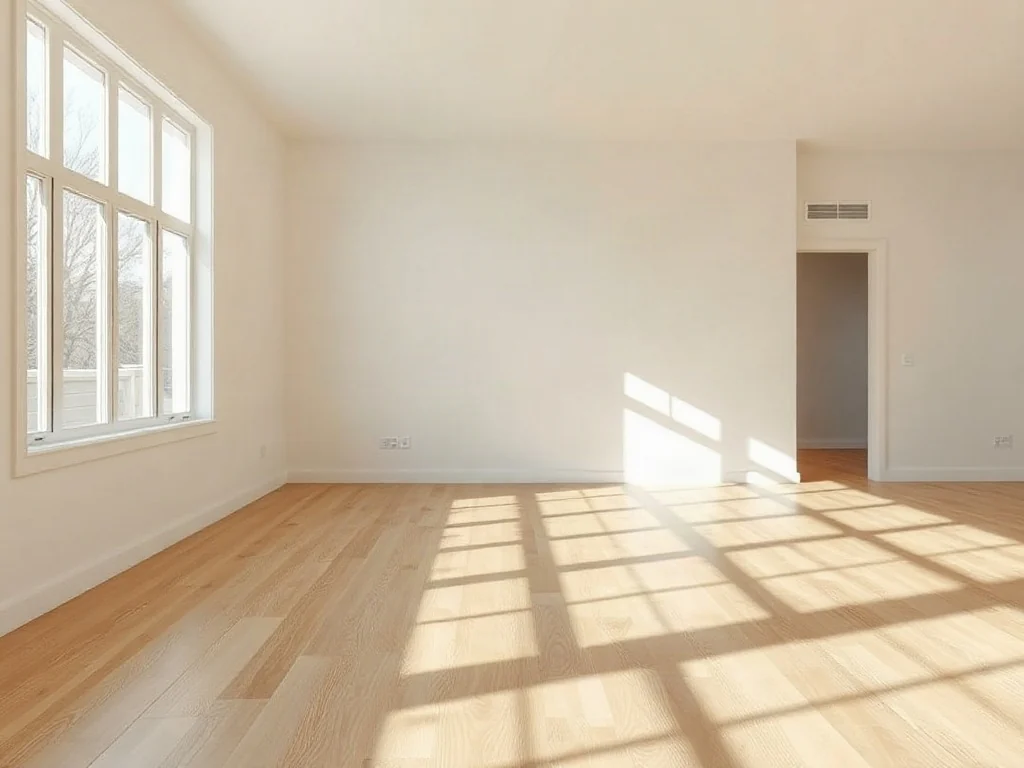
Stage this empty room as a bright Scandinavian living room: linen sofa, wool rug, oak coffee table, plants. Keep walls, windows and floor.
InputEmpty room
From raw photos to finished files in three steps
- 01
Build your recipe
Start from a template or a blank canvas, and wire our AI tools together in the order you need them.
- 02
Drop in the batch
Upload a folder of photos. Every image goes through the same steps with the same settings.
- 03
Review and download
Approve results before the paid steps, then download every file in one zip, named your way.
Made for the way your industry works
Each industry gets templates built around its everyday jobs. Use them as they are, or change any step.
Every listing photo, staged and portal-ready.
Declutter rooms, stage empty spaces, swap grey skies and export for every portal, with the originals kept alongside for disclosure.
Popular workflows
- Staging in three styles
- Empty room
- 3 interior styles
- Virtual staging
- Review
- Day to twilight
- Exterior photo
- AI edit: twilight
- Compare
- Full listing pack
- Enhance
- Review
- Portal, web and print files
Everything a production pipeline needs
Review gates
Pause the batch to approve, reject or redo each result before it moves on to the next step.
Variants
Try several prompts, backgrounds or colourways on every image in a single run.
Export presets
One image in, a file for Amazon, eBay, Shopify, Instagram, Pinterest and more out.
Know the cost first
See how many operations a batch needs before you start. Steps that are already done are never charged twice.
Save and re-run
Workflows are saved to your account, so next week's batch is a single upload away.
Smart file names
Name outputs with the original name, a number or the preset, so files arrive ready to upload.
Frequently asked questions
What is an image editing workflow?
A saved sequence of editing steps, such as remove background, add a shadow and export for Amazon, that runs on every image you upload. You set it up once and reuse it for every new batch.
Which tools can I use in a workflow?
Background removal, AI edit, object removal, image generation, upscaling, colorization, vectorization, DPI and format conversion, plus crop, background, shadow and export preset steps. Steps can be combined in any order.
How is a workflow billed?
Each AI step costs the same as using that tool on its own, once per image. Crops, backgrounds, shadows and export presets run in your browser and are free. The builder shows an estimate before every run.
Can I check results before the batch finishes?
Yes. Add a review step anywhere in the workflow to approve, reject or redo each image before it moves on, so only the results you keep reach the paid steps.
Do I need design or technical skills?
No. Pick a template for your industry, drop in your photos and press run. You can open any step to adjust its settings or prompt when you want more control.
Your next batch could already be done.
Pick a template, drop in your photos and let the workflow do the rest.
Start building