AI Clothes Remover – Remove, Replace or Change Outfits
Lift any garment off a photo in seconds with AI. Get a clean cutout of the clothing, ready to reuse, restyle or swap into a new look.
Drop your images here or click to browse
Upload an imageSupports JPG, PNG, WEBP · Up to 5 images · Max 10MB each
- Precise Garment Detection
- Clean, Reusable Cutouts
- From Removal to a New Outfit
By using the service, you agree with the T&C and Privacy Policy and confirm that everyone in your photos is 18 or older and has agreed to this edit, and that you won't use it to deceive, harass or sexualize anyone.
Clothing removal and replacement, made simple
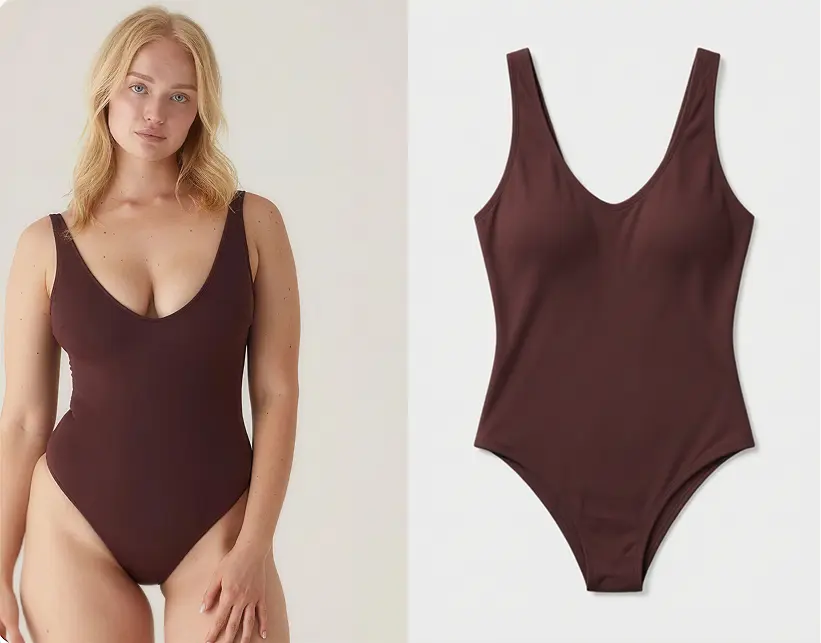
Upload a photo and the AI Clothes Remover finds every garment in it, from tops, trousers and dresses to jackets, shoes and accessories, and separates them from the person and the background with clean edges. You get the clothing on a transparent PNG, ready for a catalogue, a mood board or a new outfit.
Change outfits without a reshoot
Want a different look instead? Open your photo in our editor and describe the outfit you want: a linen shirt, a red evening dress, a denim jacket. Prompt-based editing restyles the clothing and keeps the rest of the photo intact, so one shoot can cover many variations.
Why Use Our AI Clothes Remover & Outfit Changer
Precise garment editing for fashion, e-commerce and content teams. No masking, no manual retouching.
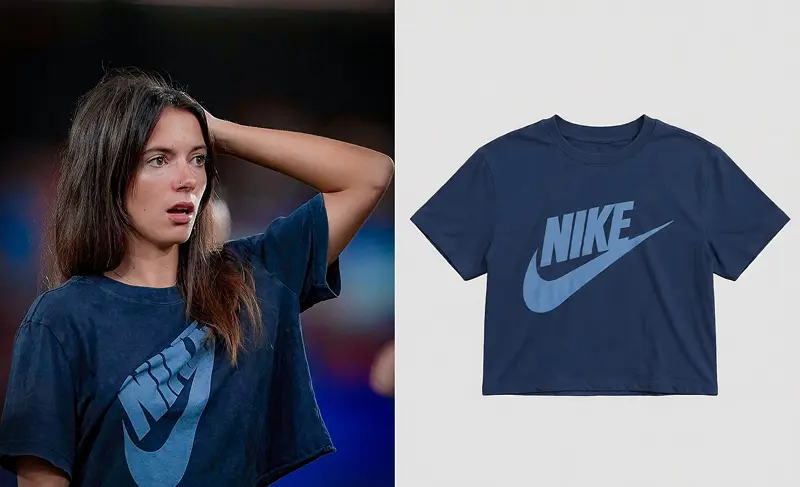
Precise Garment Detection
The AI separates clothing from skin, hair and background down to collars, straps, buttons and fine fabric edges, so nothing has to be masked by hand.
Clean, Reusable Cutouts
Every removed garment comes back on a transparent PNG background, ready for product listings, flat-lays, lookbooks or virtual try-on assets.
From Removal to a New Outfit
Remove a garment here, then change the outfit with a text prompt in the editor: the fastest way to turn one photo into many styling variations.
Remove or Change Clothes in Any Photo in Seconds
Upload a photo and let the AI lift every garment onto a clean, transparent background, then restyle the outfit whenever you like.
Built for Creative and Commercial Workflows
From online stores to content studios, removing and replacing clothing gives every photo more than one use.
E-Commerce Catalogues
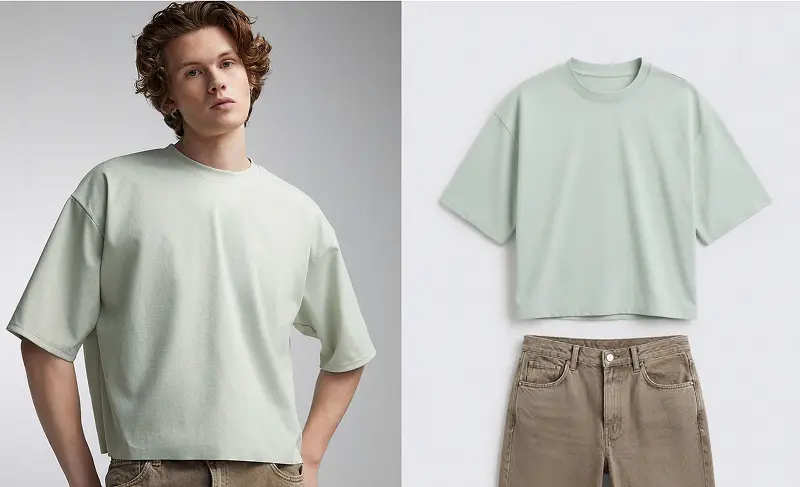
Turn lifestyle and on-model shots into clean garment images without booking a studio.
Remove each item from the photo and place it on white or branded backgrounds that meet Amazon, Shopify and marketplace requirements.
Styling & Mood Boards
Pull garments out of different photos and combine them into outfit collages and lookbooks.
Test new combinations and present collections to clients or buyers before anything is produced.
Ads & Social Content
Create outfit variations for ads, posts and stories from a single photo.
Swap a look with a prompt in the editor to test styles on Instagram, TikTok and Pinterest without a new shoot.
Virtual Try-On & AR
Supply clean garment cutouts as source assets for virtual try-on and AR experiences.
Accurate clothing separation is the first step to letting shoppers see an outfit before they buy.
What Our Users Are Saying
Sofia R.
Saves hours of retouching
"Masking outfits by hand used to take me ages. Now I upload the photo and get the garments back with clean edges in seconds."
James T.
Perfect for bulk product listings
"We handle hundreds of on-model photos a week. Removing the clothing with AI has cut our post-production time by 70%."
Mia K.
One photo, lots of looks
"I cut the outfit out, then try new styles in the editor. My outfit posts have never looked better."
Frequently Asked Questions
An online tool that detects the clothing in a photo and removes it from the image as a separate PNG with a transparent background. You can reuse the garment anywhere, or change the outfit in our editor with a text prompt.
A clothes remover takes garments out of a photo so you can reuse them. A clothes changer replaces the outfit a person is wearing with a different one. You can do both here: remove items on this page and change outfits with prompt-based editing in the editor.
Yes, when used responsibly. It is built to work on clothing only, isolating garments or swapping them for other clothing, and it must not be used to create nude, underwear or sexualised images. Only upload photos you have the right to edit, never use it to deceive or harass anyone, and do not upload photos of minors.
No. The tool runs in your browser on desktop and mobile. Upload a photo and download the result, with no app, bot or plugin to install.
You can upload a photo and preview the result for free. Downloading full-quality results uses credits or a plan.
Yes. Open the photo in our editor and describe the outfit you want, for example "a navy blazer over a white T-shirt". The AI restyles the clothing and keeps the rest of the photo intact.
JPG, PNG and WEBP, up to 10 MB each and up to 5 images at a time. Removed garments are delivered as high-quality PNG files with a transparent background.
No. Removing clothing only extracts the garment, and your original photo stays untouched. When you change an outfit in the editor, the edit targets the clothing and keeps the face, pose and background as close to the original as possible.
Your images are processed securely and are not stored permanently. We delete uploaded files shortly after processing is complete.
Remove or Change Clothes in Any Photo in Seconds
Upload a photo and let the AI lift every garment onto a clean, transparent background, then restyle the outfit whenever you like.
Built for
Stage and enhance listing photos from your own software
Connect your CRM, website or portal feed and stage empty rooms, turn day shots into twilight and upscale property photos automatically as new listings come in.
Virtual staging by API
Send a room photo and a prompt, get back the staged photo. Twilight and decluttering work the same way.
Sharper photos and formats
Upscaling 2× to 10×, image extension and format conversion work with the same API key.
Your keys, working examples
Create API keys in your dashboard and copy ready-to-run code for every endpoint.
const url = "https://api.yumepik.com/api/v3/extract-clothes"

const headers = new Headers();
headers.append("Authorization", "Bearer YOUR_API_KEY_HERE");

const formdata = new FormData();

formdata.append("file", "image.png");

const requestOptions = {
  method: 'POST',
  body: formdata,
  headers: headers,
};

fetch(url, requestOptions)
  .then(response => response.json())
  .then(result => console.log(result))
  .catch(error => console.log("error", error));